Framer Map Extension
Simple, interactive maps for Framer. No API key needed.
Add interactive maps to your Framer projects. Works out of the box and connects with other elements like buttons.
Demo
What makes this extension different
- 100% free (no API key required)
- Interactive with other elements of your website, like buttons
Key Features
- Add your own markers to the map and style them
- Configure the appearance of the map using different map styles and controls
Getting started
Install the extension
You can install it via the marketplace: https://example.com
Add a map to your project
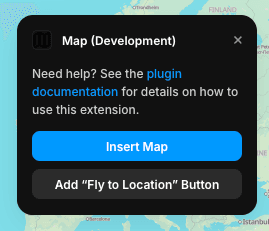
Open the plugin in Framer. Simply drag and drop the map component onto your canvas to get started.
Configure your map
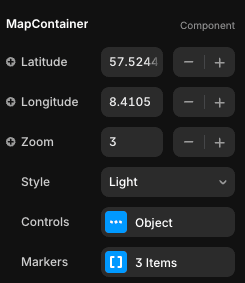
Adjust the map settings to fit your needs. You can change the initial map location (latitude, longitude, and zoom), select a map style, enable or disable controls, and add custom markers wherever you want.
Make your map interactive
For more interactive websites, you can add a button that interacts with the map. In the plugin popup, click on the Add "Fly to Location" Button. In the button settings, you can set the target location for the map to zoom to when the button is clicked, and customize the button's appearance.
Support & Feedback
If there are features you’re missing, if you run into any issues, or if you’ve found a bug, just reach out to me at [email protected]. I’m always happy to help!